Working from home has become increasingly common, and having a dedicated, productive home office environment is essential for success. Whether you’re freelancing, running a small business, or working remotely for a company, creating a workspace that supports your focus and comfort can make a significant difference in your daily productivity. Here are some helpful tips to design a home office that works for you.
Choose the Right Location
Find a Quiet Space
Selecting a quiet area in your home for your office is key. This will help minimize distractions and background noise, allowing you to concentrate better. Avoid high-traffic areas like the kitchen or living room where interruptions are frequent.
Consider Natural Light
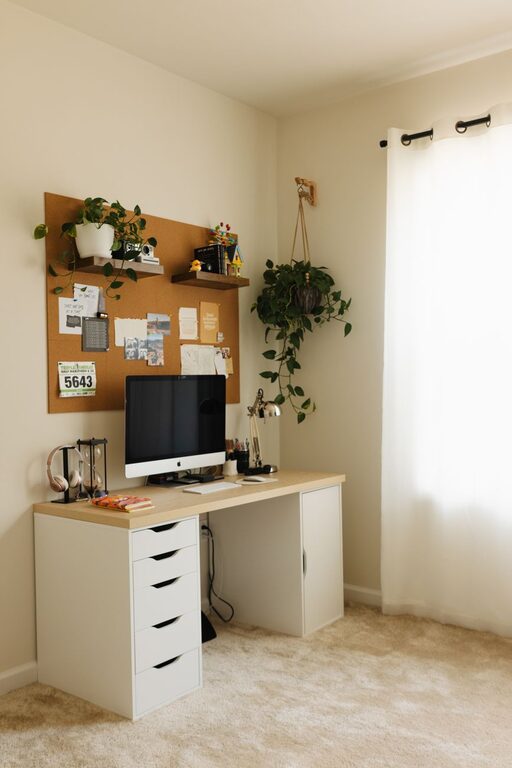
A room or corner with plenty of natural light can improve your mood and energy levels. Position your desk near a window if possible. If natural light is limited, use bright but soft artificial lighting to reduce eye strain.
Invest in Ergonomic Furniture
Comfortable Chair
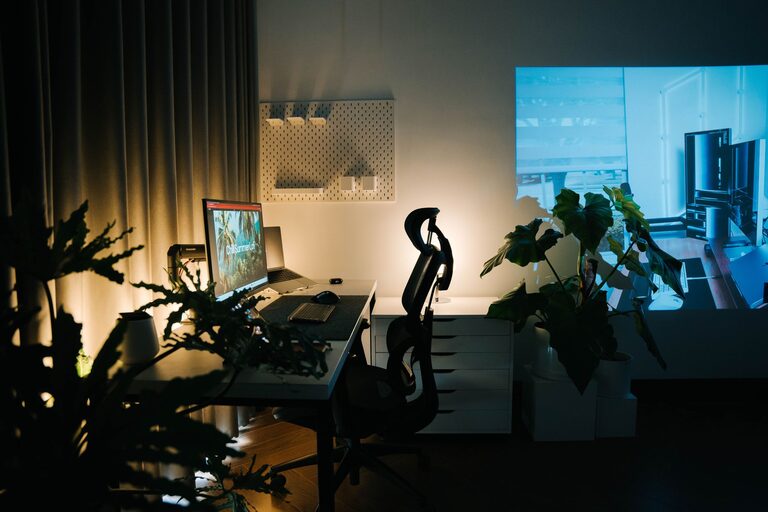
A good chair supports your posture, preventing back and neck pain during long work hours. Look for adjustable chairs with lumbar support, cushioned seats, and armrests to promote comfort.
Functional Desk
Choose a desk that fits your space and workflow. It should have enough surface area for your computer, notebooks, and other tools without feeling cluttered. Standing desks or adjustable-height desks can add flexibility and help reduce sitting time.
Organize Your Workspace
Declutter Regularly
Keep your workspace tidy and organized to reduce stress and wasted time searching for items. Use drawers, shelves, and desk organizers to store papers, supplies, and electronics neatly.
Use Cable Management
Untangle cords and use cable clips or sleeves to keep your cables both organized and out of sight. A clutter-free desk can encourage clear thinking.
Maintain Good Technology Setup
Reliable Internet Connection
A strong internet connection is crucial for smooth communication and access to cloud-based tools. Consider investing in a quality router or a wired connection if Wi-Fi is unstable.
Proper Computer and Accessories
Ensure your computer, monitor, keyboard, and mouse are suitable for your work. Dual monitors can help improve efficiency, while keyboards and mice designed to reduce fatigue can enhance comfort.
Create Boundaries and Routine
Set a Schedule
Define your work hours and stick to them to separate work from personal life. This helps maintain focus during office hours and ensures downtime afterward.
Inform Household Members
Communicate your work schedule to family or roommates so they know when not to disturb you. Setting physical or visual boundaries like a closed door or “do not disturb” sign can reinforce this.
Add Personal Touches
Decorate Thoughtfully
Incorporate elements that inspire and motivate you, such as artwork, plants, or photos. However, avoid over-decorating, which can cause distractions.
Include Greenery
Plants improve air quality and add a calming element to your workspace. Low-maintenance plants like succulents or snake plants are ideal for an office.
Prioritize Comfort and Wellness
Take Regular Breaks
Step away from your desk every hour for a short stretch or walk. Breaks help reduce eye strain, muscle fatigue, and mental burnout.
Control Temperature and Air Quality
Keep your office well-ventilated and at a comfortable temperature. Consider a small fan, heater, or air purifier if needed.
Use Productivity Tools and Techniques
Task Lists and Calendar
Use planners or digital apps to organize your tasks and deadlines. Visually tracking your to-do list can keep you motivated and focused.
Time Management Methods
Try methods like the Pomodoro Technique (working in focused intervals with breaks) to improve concentration and efficiency.
—
Creating an effective home office involves combining practical design with personal comfort. By thoughtfully selecting your space, organizing your tools, and setting boundaries, you can craft a productive environment that supports your best work every day.
About the Author