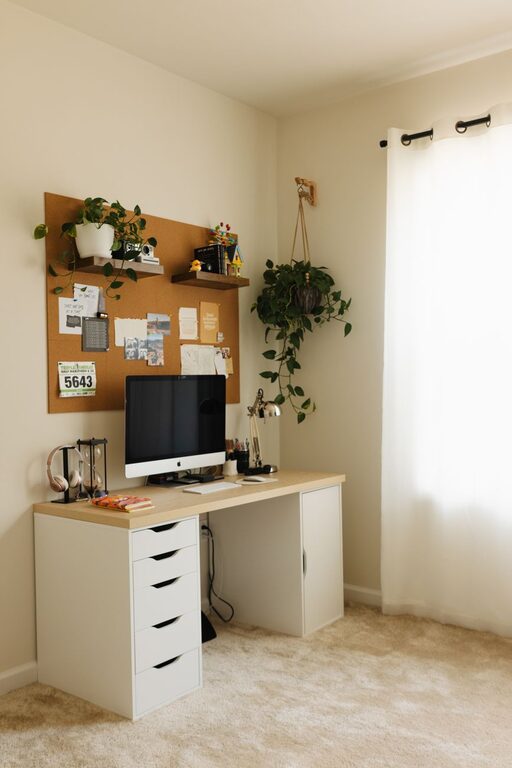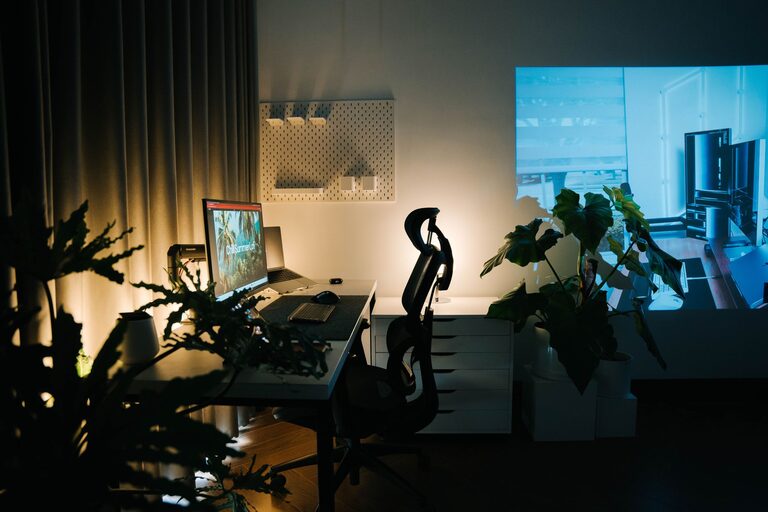
Creating a well-organized, clutter-free home office can have a big impact on your productivity and overall work satisfaction. Whether you work from home full-time or just need a dedicated spot for occasional tasks, a tidy space helps you focus and reduces stress. Below are practical tips to help you design an efficient home office that encourages productivity and keeps clutter at bay.
1. Choose the Right Location
Start by selecting a spot in your home that suits your work needs. Look for a space that:
– Has good natural lighting to reduce eye strain and lift your mood
– Is relatively quiet and free from distractions
– Offers enough room for your desk, chair, and storage solutions
If space is limited, consider using a corner of a room or a foldable desk that can be packed away when not in use.
2. Invest in Functional Furniture
The right furniture can make all the difference in organizing your home office:
– Desk: Pick a desk with enough surface space for your computer, notebook, and other essentials. Desks with built-in drawers help keep small items organized.
– Chair: A comfortable, ergonomic chair supports good posture for long hours.
– Storage Units: Bookshelves, filing cabinets, or modular storage cubes allow you to categorize and store items neatly.
Choosing furniture that fits your space and needs reduces clutter buildup caused by inadequate storage.
3. Declutter and Prioritize Essentials
A clutter-free office starts with removing unnecessary items:
– Sort through your papers, books, and equipment.
– Keep only what you use regularly within reach.
– Store or discard old documents and supplies.
Make a habit of clearing your desk at the end of each day to maintain a clean workspace.
4. Use Smart Storage Solutions
Maximize organization with the right storage tools:
– Desktop organizers for pens, paper clips, sticky notes, and other small supplies
– File holders or trays for sorting incoming and outgoing paperwork
– Cable management tools like clips or sleeves to prevent tangled cords
– Label everything to quickly identify items and files
Good storage choices help keep your desk surface clear and create a calmer environment.
5. Incorporate Technology Wisely
Technology offers tools to reduce physical clutter:
– Use cloud storage and digital note-taking apps to minimize paper piles.
– Consider wireless devices like keyboards and mice to reduce wires.
– Position your computer monitor at eye level to maintain good posture.
Keeping cables tidy and screens clean enhances your comfort and workspace aesthetics.
6. Personalize Without Overdoing It
Adding personal touches can make your office inviting, but too many decorations may create distractions. Choose a few meaningful items like:
– A small plant for a touch of nature and improved air quality
– Inspirational artwork or photos
– A clock or calendar for time management
Balance personalization with simplicity to maintain focus.
7. Create a Routine for Organization
Make tidying a part of your daily or weekly routine:
– Spend 5–10 minutes at the end of each day putting things back in their place.
– Set aside time weekly to file documents and restock supplies.
– Regularly reassess your setup and adjust storage as needed.
Consistency helps prevent clutter from returning and keeps your office ready for work.
8. Maximize Vertical Space
If floor space is limited, look up:
– Install wall shelves to hold books, files, or decor.
– Use pegboards for hanging supplies or tools.
– Mount bulletin boards or whiteboards for notes and calendars.
Utilizing vertical space keeps your desk clear and keeps important items within easy reach.
9. Ensure Proper Lighting
Good lighting prevents eye strain and supports productivity:
– Position your desk near a window for natural light.
– Use adjustable desk lamps to illuminate work areas.
– Choose bulbs with a color temperature that suits your preference—around 4000K is ideal for task lighting.
Bright, well-placed lighting creates a comfortable and inviting workspace.
10. Keep Cables and Devices Organized
Technology is essential, but cables and devices can create clutter quickly:
– Use cable clips or ties to bundle cords neatly.
– Consider a charging station to keep devices in one spot.
– Hide excess cables behind furniture when possible.
Keeping cords tidy reduces distractions and potential hazards.
—
By following these tips, you can create a home office space that is both efficient and welcoming. A clutter-free environment supports focus, creativity, and productivity, making your work-from-home experience more enjoyable and effective. Remember, the key to a well-organized office is choosing solutions that work for your unique needs and making tidying a regular habit. Happy organizing!
About the Author